READY TO REGISTER?
Find your camp and click the blue registration box to complete your registration.
FLEXIBLE PAYMENT OPTIONS — PAYPAL & STRIPE
PayPal — Available During Online Registration. You DO NOT need a PayPal account to register! (Checkout as Guest — see below.)
Pay by Credit Card — Checkout as Guest: Simply select the guest checkout option to pay securely using your credit card without creating or logging into a PayPal account. (See instructions below.)
PayPal Pay Later: Eligible families may be able to spread their payments over time. To access PayPal Pay Later, you must log in to your existing PayPal account or create a new account prior to checkout. PayPal Pay Later is subject to eligibility, approval and PayPal's terms.
Stripe — Alternative Payment Option: If you experience any issues with PayPal, we also offer secure credit card payments through Stripe, with no Stripe account required. To arrange a Stripe payment, simply text us at 604-537-7099, and we'll be happy to provide a secure payment link.
Need Assistance with Payment? If you're experiencing payment difficulties or would like to discuss alternative payment arrangements, please text us at 604-537-7099. We're happy to discuss available options on an individual basis. Please note that all registration fees remain the same, regardless of payment arrangements.
Register For Global Vancouver:
All positions open to register below (expect 2011-2007 Goalies- sold out- join our waitlist)
Global Vancouver - Register
________________________________________
Register For Global Las Vegas:
All positions open to register below
Global Las Vegas - Register
Please read *checking out with PayPal* below before proceeding
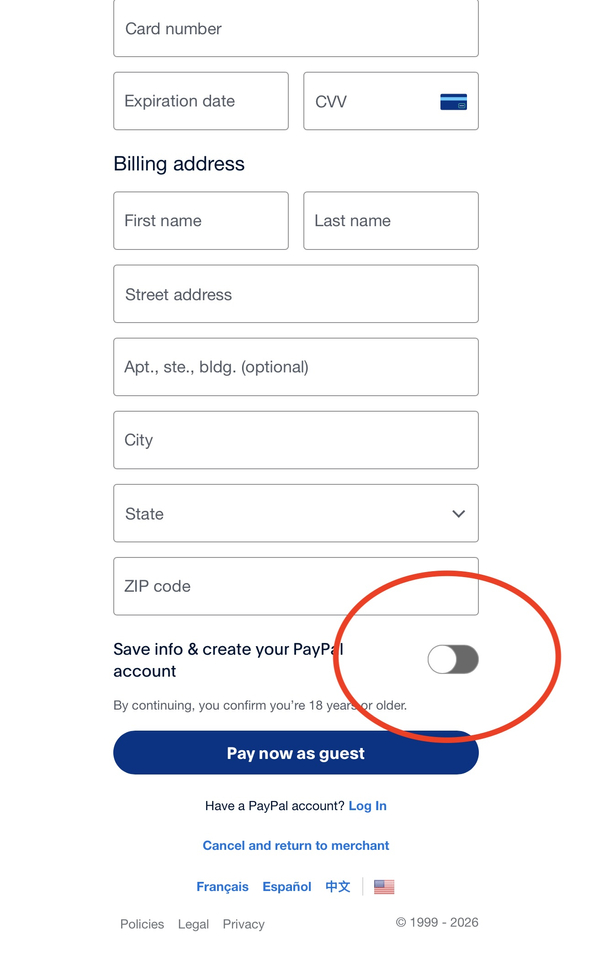
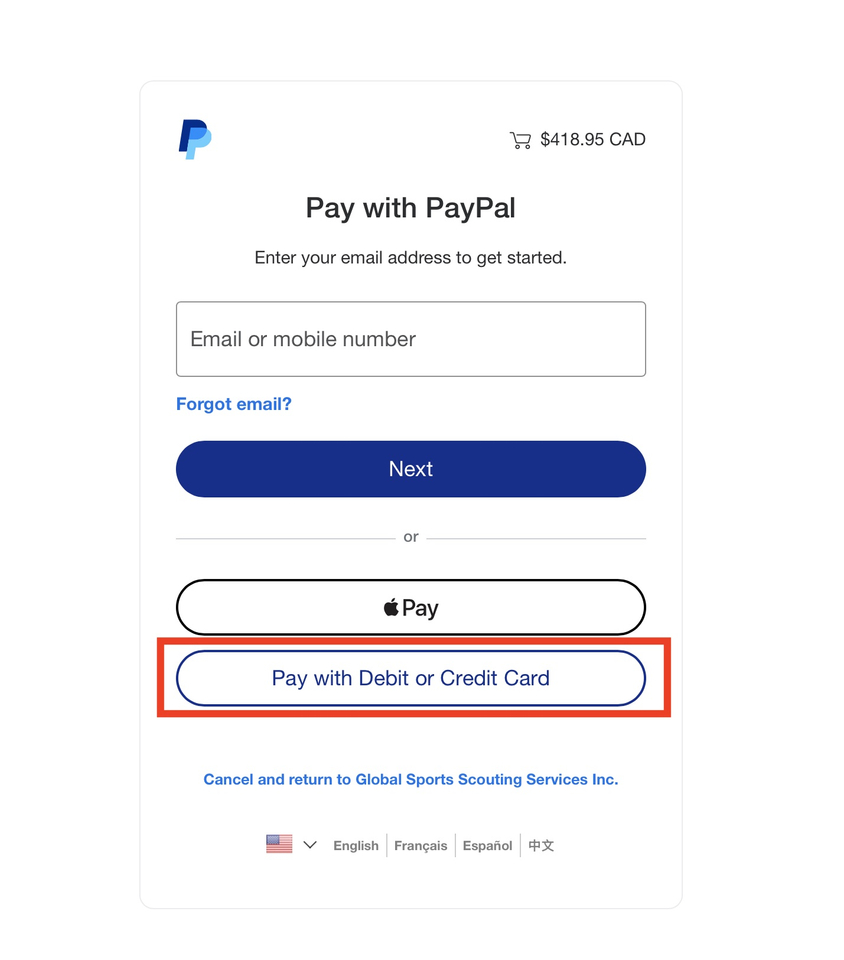
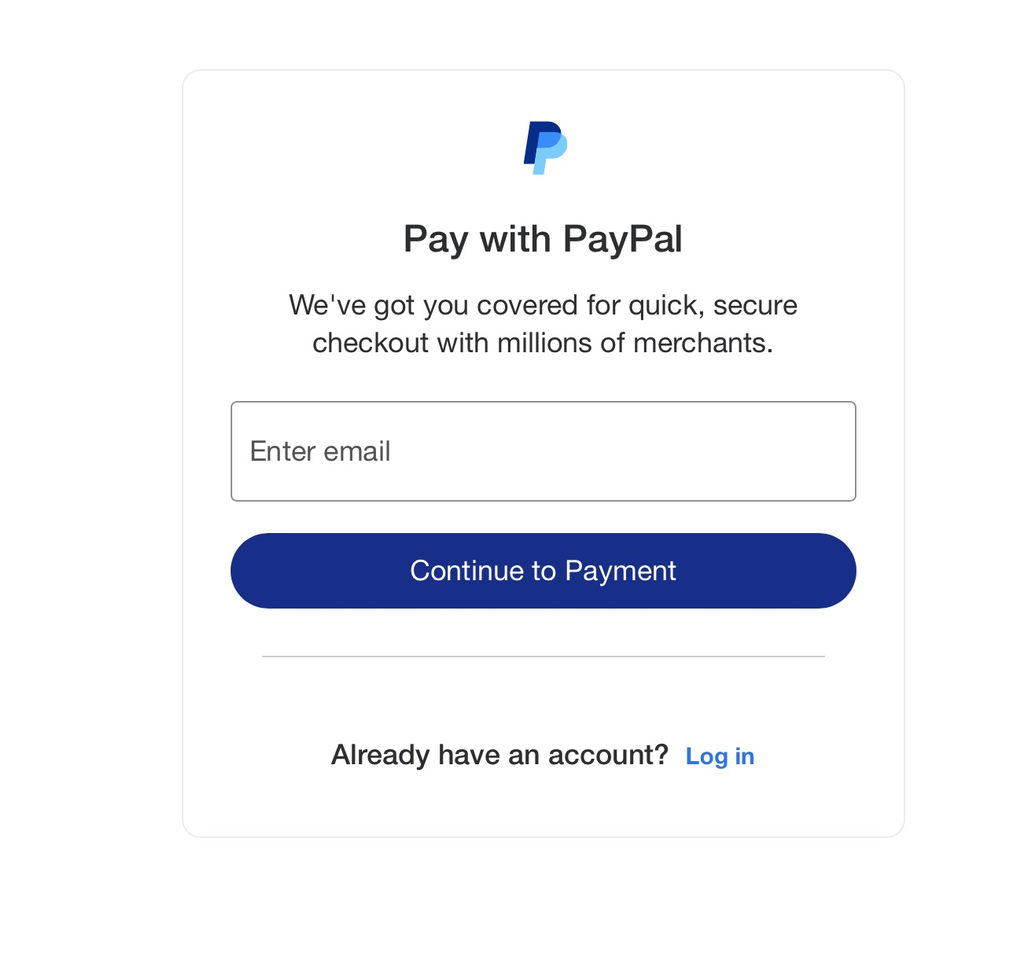
*** you do not need a PayPal account to complete payment, please complete and submit our camp form, PayPal will than load and select pay with Debit or Credit card (pictured below), Paypal will ask you for your email, than will load a credit card form (you can turn off create PayPal account and check out as guest)***
In some cases, PayPal may require you to log in or create an account for security reasons, including if the card has previously been used for PayPal transactions or has been used with an account or you have account already via email .
Step 1- Select pay with debit or credit card
Step 2- Enter your email
Step 3- Turn off create account